1
Upload Your 3D Model
Drag in any 3D model — FBX, GLB, or OBJ. Use a model you generated here or import a high-poly sculpt, photogrammetry scan, or messy AI-generated mesh you want to retopologize.
Turn messy, high-poly, or AI-generated meshes into clean, animation-ready topology. Upload a model and our auto retopology engine rebuilds it into optimized quad or triangle topology with the exact polygon count you choose.
Skip the hours of manual edge loops and poly-by-poly modeling. AI analyzes your mesh and rebuilds it with clean, even edge flow automatically. Upload a high-poly sculpt, scan, or AI-generated model and the auto retopology engine returns optimized topology in seconds — no retopology plugin or 3D modeling experience needed.

Generate proper quad topology that deforms cleanly when rigged, animated, or subdivided. Quad retopology gives you predictable edge loops around joints and faces, while the triangle option produces lightweight, game-ready meshes for any engine. Choose the mesh type that fits your pipeline and let AI handle the flow.

Set an exact target face count and the AI retopologizes your model to hit it, or use smart low-poly to auto-pick the right density. Force symmetry on characters and props, and retopologize selected parts of a multi-part model independently. Full control over polygon count, all in your browser.

Upload a model, let AI rebuild the topology, and download an optimized mesh in minutes — no manual retopology or 3D modeling skills required.
Drag in any 3D model — FBX, GLB, or OBJ. Use a model you generated here or import a high-poly sculpt, photogrammetry scan, or messy AI-generated mesh you want to retopologize.
Choose quad or triangle topology and set a target face count, then let the auto retopology engine rebuild the surface with clean, even edge flow. Turn on smart low-poly or force symmetry for characters and hard-surface props.
Inspect the new topology in the 3D viewer, compare it against the original, and export the retopologized model as FBX, GLB, or OBJ — ready for rigging, animation, texturing, or your game engine.
Manual retopology means hours of edge loops, shrinkwrap tweaking, and snapping verts by hand. AI retopology does it in seconds.
No manual edge loops, no retopology plugin, no poly-by-poly work. AI rebuilds clean topology for you, even on dense, high-poly meshes.
Get even quad edge flow that subdivides and deforms cleanly for animation — or switch to triangles for lightweight, game-ready meshes.
Dial in an exact polygon budget or let smart low-poly choose for you. Force symmetry and retopologize individual parts independently.
No plugins, no installs. Upload, retopologize, and download optimized models entirely online from any device.
From real-time game assets to film-quality rigs, optimized topology is what turns a raw sculpt or scan into a model you can actually use.
Retopologize high-poly sculpts into lightweight, optimized meshes for Unity, Unreal, or the web. Hit a precise polygon budget, generate clean LODs, and ship assets that run fast in real time.
Quad topology with proper edge loops deforms predictably when skinned and animated. Auto retopology gives riggers and animators the clean base mesh they need around joints, mouths, and eyes — without hand-modeling it.
AI-generated models and 3D scans arrive as dense triangle soup with no usable edge flow. Retopologize them into clean, editable topology you can UV, texture, and edit like a hand-built model.
Reduce polygon count without losing the silhouette. Optimized topology means smaller files, faster viewport performance, and smooth playback in AR, VR, and web 3D scenes.
Everything about retopology, auto retopology, and rebuilding clean topology on your 3D models — from quad versus triangle to Blender and Maya workflows.
Upload a model, let AI rebuild clean quad or triangle topology, and download an optimized, animation- and game-ready mesh — no manual retopology required.
No credit card required · Export FBX, GLB & OBJ
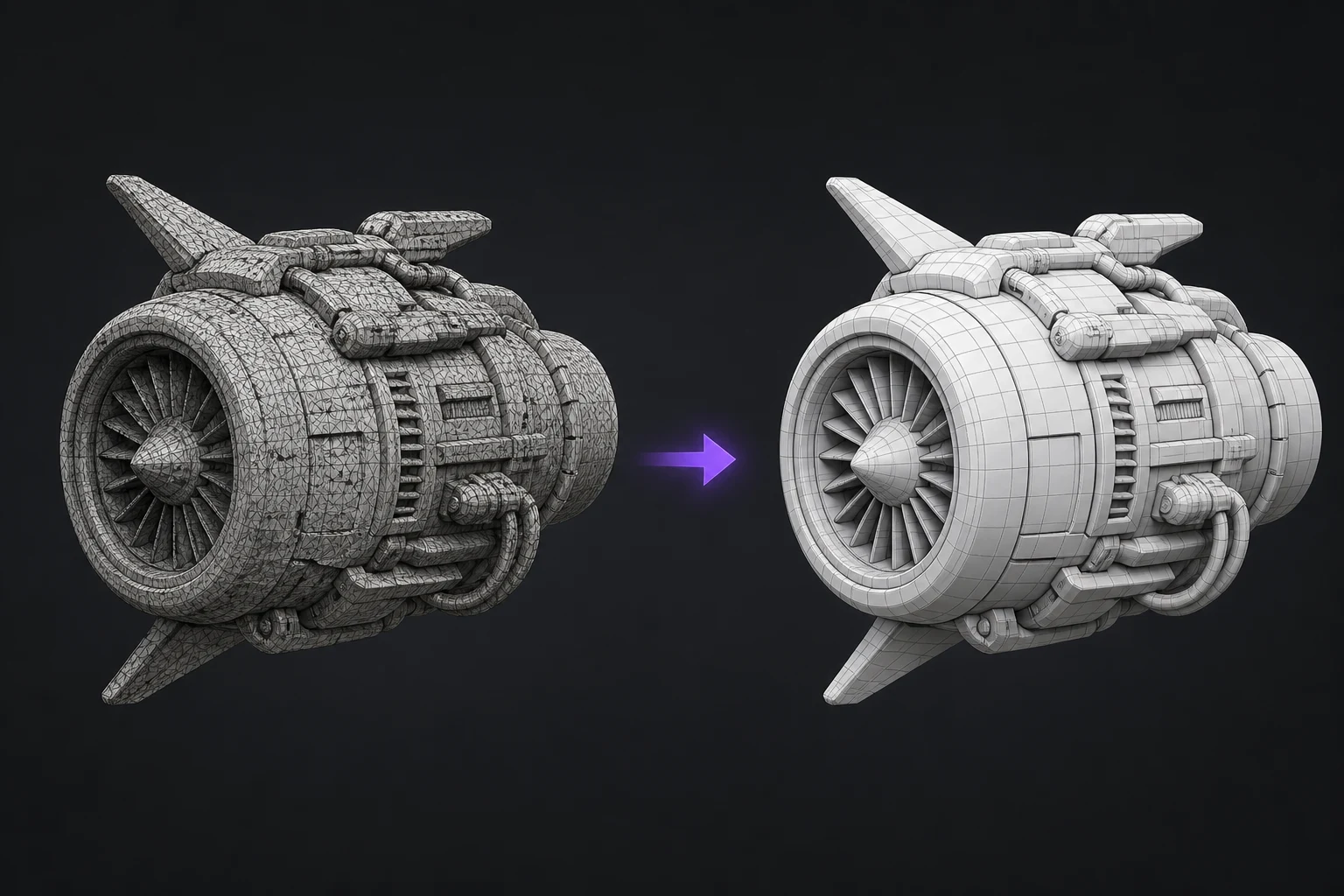
Rebuild the model with cleaner topology
AI converts dense or uneven meshes into a cleaner, lighter structure with organized edge flow, making the model easier to edit, animate, optimize, or export.